HearstLab and Fitch Learning Partner with Founderz
A landmark investment from HearstLab will fund Founderz's expansion alongside Fitch Learning, bringing innovative and personalized AI training solutions to over 125,000 professionals worldwide.



If you have creation access, define one job, add knowledge only when needed, then test it in Preview. Account access is the main constraint because OpenAI changed eligibility in 2026.
If your workspace lets you make a custom GPT, define the job, write the instructions, add reference material if needed, and test the result. The harder part is deciding what should stay fixed and what the user should provide in each conversation.
Access is now the first check. As of September 2026, personal Free, Go, Plus, and Pro accounts cannot create or publish a new GPT. An existing GPT remains usable and may still be editable when plan and permission requirements are met. Eligible managed workspaces can create GPTs when their settings allow it. The current rules are set out in OpenAI’s Creating and editing GPTs documentation.
A custom GPT is a version of ChatGPT configured for a specific purpose. It uses generative artificial intelligence through an existing large language model rather than training a new generative pre-trained transformer from scratch.
You may also see these assistants described informally as custom ChatGPTs. The useful distinction is configuration: you can set context and instructions, attach knowledge, choose capabilities, and shape the output around a defined goal.
Custom GPTs solve a simple operational problem: repeated setup. They help when you keep pasting the same rules, reference material, or formatting requirements into a conversation.
For example, you could build a GPT that helps a marketing manager review campaign briefs against brand rules. It could use a PDF of approved messaging and return a fixed review format.
Consistency is the main benefit for a marketing team. The GPT can check audience, tone, approved claims, and required output before it starts writing.
Keep one clear use case. Add a few GPT prompts for recurring jobs, such as reviewing a landing page or drafting a LinkedIn post. That gives users a predictable starting point without making the assistant a catch-all tool.
Creating custom GPTs works best when you focus on one job. To create a GPT, start with the purpose and add only what supports it.
Signed-in ChatGPT users can access GPTs available to them, but creation has separate rules. It is currently restricted to eligible Business, Enterprise, and Edu workspaces.
You don’t need a ChatGPT Plus account to use existing GPTs. A paid ChatGPT personal plan also does not currently unlock creation.
On the web, open Explore GPTs from the sidebar and select Create. The builder lets eligible users work conversationally or edit the configuration directly.
You can ask ChatGPT to draft the setup, then edit it yourself. Its current documentation calls the direct editor the configuration view rather than a Configure tab.
Write the job in one sentence:
This GPT helps [user] complete [task] using [information or method] and returns [output].
A narrow goal makes the rest easier to customize. It also gives you a concrete test for whether the assistant is doing the job you intended.
Choose a name that explains the job. The description should state who the assistant is for and what it does.
Add realistic starter prompts. OpenAI calls each example a conversation starter. Use prompts that reflect real tasks rather than generic questions.
Good configuration separates behavior from reference material. Put rules in the instructions, source information in knowledge, and enable tools only when the workflow needs them.
The instructions section controls the behavior of the model. Define the goal, sequence, tone, language, boundaries, and output format using specific instructions.
For a multi-step workflow, write the steps in order. Keep stable rules in the instructions box so they apply whenever someone starts a new conversation.
Use the Knowledge section for a source document, handbook, policy, product guide, or PDF. Current limits allow up to 20 files, with each file up to 512 MB.
Keep behavior rules out of the knowledge base. Put them in instructions instead. Clear, text-forward files are easier for the GPT to use.
GPTs support capabilities such as web search, image generation, Canvas, and Code Interpreter & Data Analysis when available in the workspace and region.
Apps connect services available to the user. Actions connect an external API that you define. A GPT can use apps or actions, but not both at the same time.
Use the Builder and Preview together. Test a normal prompt, missing context, an ambiguous request, and something outside the intended scope.
Check whether it follows the sequence, uses knowledge at the right time, and returns the required format. If the result is inconsistent, tighten the prompt and examples before adding another tool.
Change one thing at a time. That makes each iteration easier to evaluate.
Sharing depends on workspace permissions, so check the available options before you make it public. Managed workspaces may allow direct sharing, workspace access, link sharing, or GPT Store publication.
Direct sharing supports up to 100 recipients, including individual users and groups. If a public GPT uses actions, each public action needs a valid privacy policy URL. The current requirements are documented in Sharing and publishing GPTs.
Privacy also depends on what the GPT connects to. Builders cannot view individual user conversations. Business, Enterprise, and Edu data is not used for model training by default, while consumer data treatment depends on Data Controls.
GPTs do not use saved memory, personal custom instructions, or previous conversations. Each ChatGPT conversation with a GPT starts fresh unless you bring context into that conversation. See GPTs in ChatGPT for current privacy and memory guidance.
These questions cover the main access, setup, coding, sharing, and memory issues that arise when building a GPT.
Not under the current personal-account rules. Free users can use those they can access, but personal Free, Go, Plus, and Pro accounts cannot create a new custom GPT. Creation is currently available in eligible managed workspaces when permissions allow it.
No. Standard setup does not require computer programming. Coding becomes relevant when you connect an external API, build a separate product, or create more technical integrations outside the no-code editor.
A tailored GPT gives you an assistant inside ChatGPT, but it does not train a new artificial intelligence model. If you want an assistant inside your own website or product, use an API-based approach instead.
No. GPTs do not currently use saved memory or previous conversations. Put stable reference information in the instructions or knowledge base if you need it available when you start a new conversation.
Yes, if your workspace and permissions provide those options. You may be able to share with specific people, a workspace, or a link, or publish to the GPT Store. Personal accounts cannot currently create or publish new GPTs.
Instructions control how the assistant should work. Knowledge supplies reference information from uploaded files. Put workflow rules, tone, and constraints in instructions; put source material in knowledge.
Yes, on ChatGPT web. Type @ in a regular chat to bring in a GPT without starting over. Your next message goes to that GPT while the conversation keeps its existing context. This flow is not currently available in the iOS or Android apps.
A well-built GPT reduces repeated setup and gives a team a clearer starting point for recurring work. The useful skill is deciding what the assistant should know, ask, and return.
Founderz’s AI & Innovation Certificate Program covers custom GPTs, knowledge bases, prompt engineering, automation, agents, and practical AI workflows. The 100% online program is developed in collaboration with Microsoft and includes a module on company-centered AI solutions for professional teams.
To dive deeper into this topic, explore our resources on generative AI tools and understand the broader impact in our guide to artificial intelligence and the future of work.
Pablo Rodríguez
Growth Manager
Pablo plays a key role in driving the strategy and success of Founderz. As Chief Growth Officer, he transforms ideas into actionable strategies that expand our impact. As a professor at EDEM and Founderz, he demonstrates how marketing and artificial intelligence can transform businesses and deliver practical solutions in today’s competitive landscape.
A landmark investment from HearstLab will fund Founderz's expansion alongside Fitch Learning, bringing innovative and personalized AI training solutions to over 125,000 professionals worldwide.
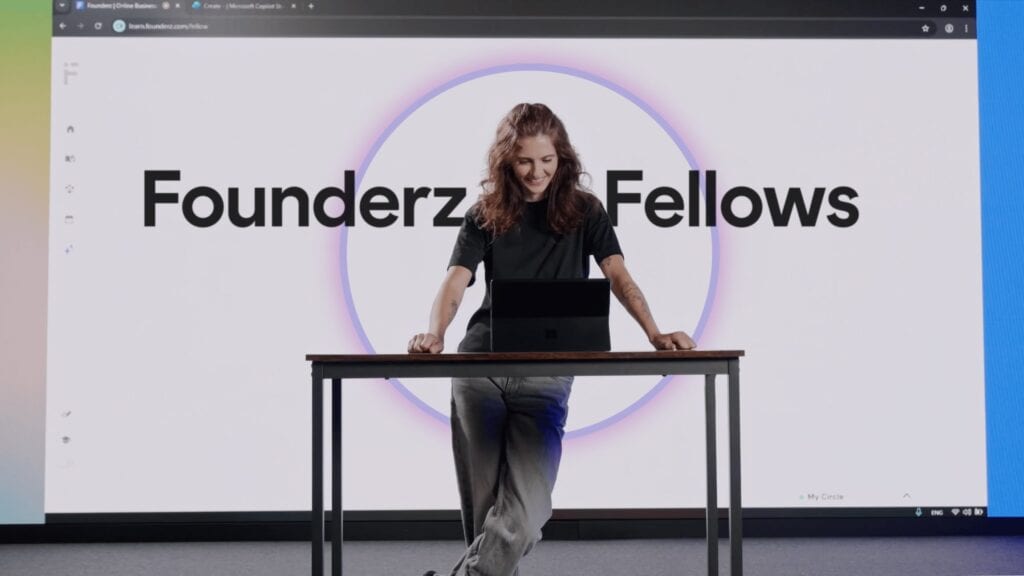
At Founderz, we believe that online education should be personalized. That's why we've created Fellows, virtual AI mentors who accompany students in real time.
A journey alongside Stuart Ridout from Microsoft to put artificial intelligence in the hands of everyday businesses.
Microsoft states that Founderz is "rethinking how AI is taught".
This toolkit isn't just a guide; it's a movement.
Our AI Skills 4 All program launches across Europe, reaching countries like Ireland, Belgium, and Sweden, among many others.
What does a local football team have to do with Artificial Intelligence? They seem like worlds apart, but appearances can be deceiving.
We present the Chair on Employability and Responsibility in AI at the Zarzuela Palace alongside Microsoft and the UAM.